View Results
To view score, validate, revalidate and exam reports of a candidate in JSON format, follow the steps below:
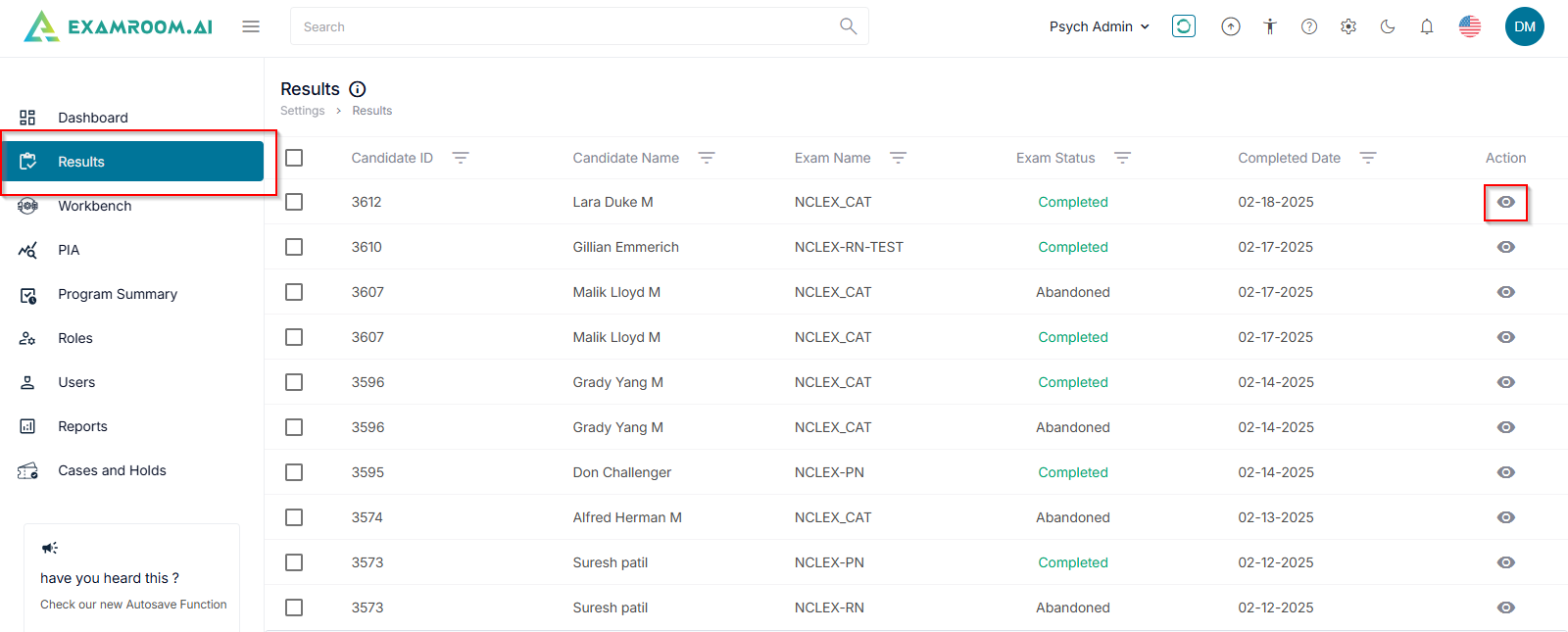
- Navigate to the Results page from the left-hand side menu or from Settings.
- Click the View icon under the action column to view the results details.
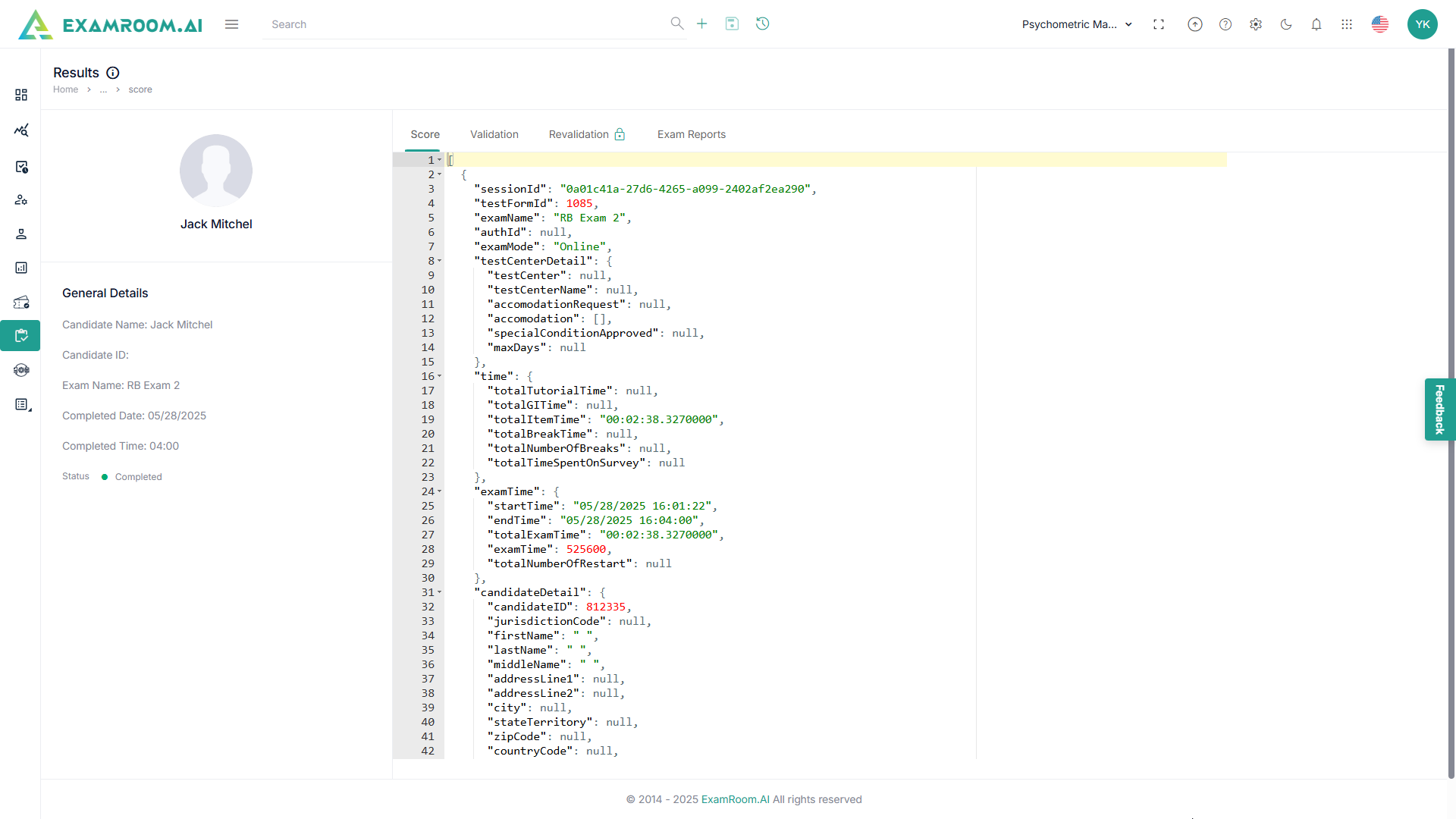
- On the Results page, you can view the candidate's general details, along with their score, validation, and revalidation information.
- Score: Displays the exam details and scoring information in JSON format.
- Validation: Runs a calculation check to verify that the system processed the exam correctly.
- Revalidation: Performs an additional cross-check of Computerized Adaptive Testing (CAT) calculations.
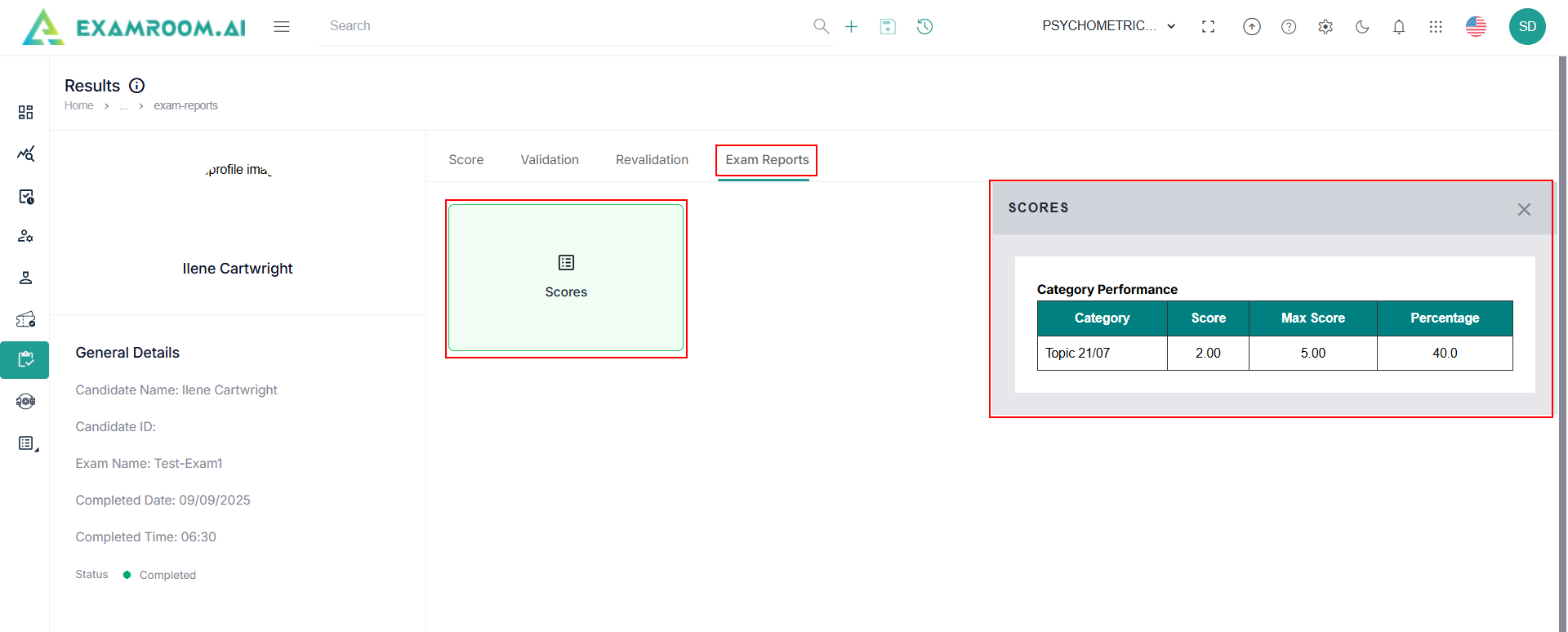
- Click Exam Reports tab and click Score to view the exam score category performance.