Flag Builder
The Flag Builder page displays the list of existing PIA flags including Flag ID, Flag Set Name, Program, Created By, Created Date, Updated Date, Updated By, and Action.
To navigate to Flag Builder, follow the steps below:
- On the PIA page, click Flag Builder in the top right corner.
- After clicking Flag Builder, you will see the list of PIA flags and flag sets, already created in the system.


Adding a New Flag
Creating a new flag allows you to set statistical parameters for items to be detected for analysis.
To create a new flag, follow the steps below:
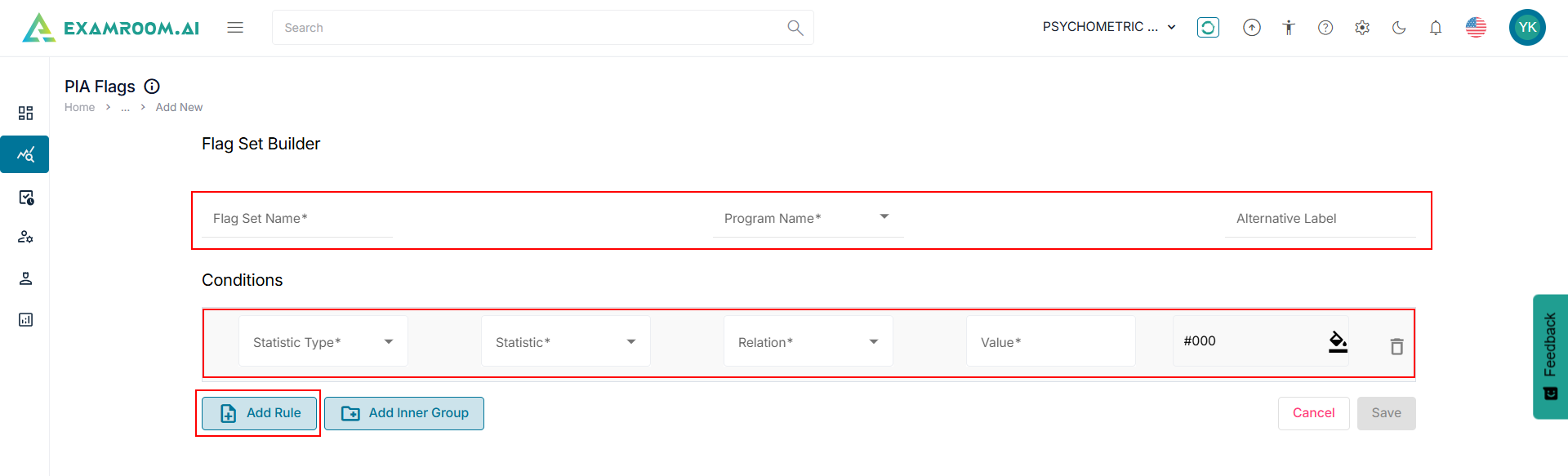
- On the PIA flags window, click +Add New to add a new Flag Set.
- Enter the Flag Set Name, Program Name, and the optional field Alternative Label.
- In the Conditions section, select the Statistic Type, Statistic, Relation, Value, and the Color Code.
- To add additional rules, click Add Rule.
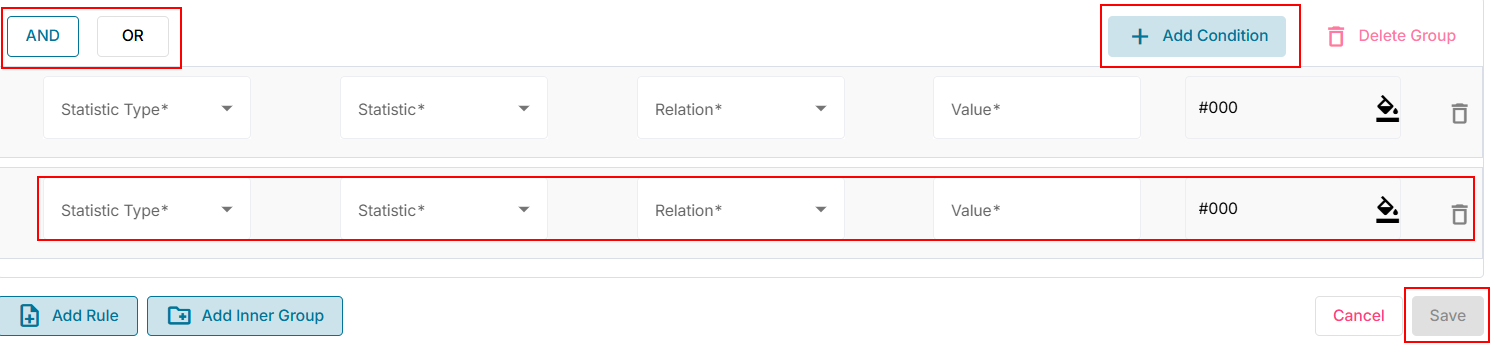
- To add a nested rule into the parent rule:
- Click Add Inner Group.
- Select the functions AND or OR.
- Select the Statistics Type, Statistic, Relation, and Value.
- Click +Add Condition to add the additional rule to the inner group.
- Click Add Inner Group.
- Click Save to create a new flag set and view the list. Otherwise, click Cancel to exit without saving.
Note: Adding a minimum of two conditions to an Inner Group is mandatory. Click Delete Group to delete the Inner Group or clickDelete to delete a condition.