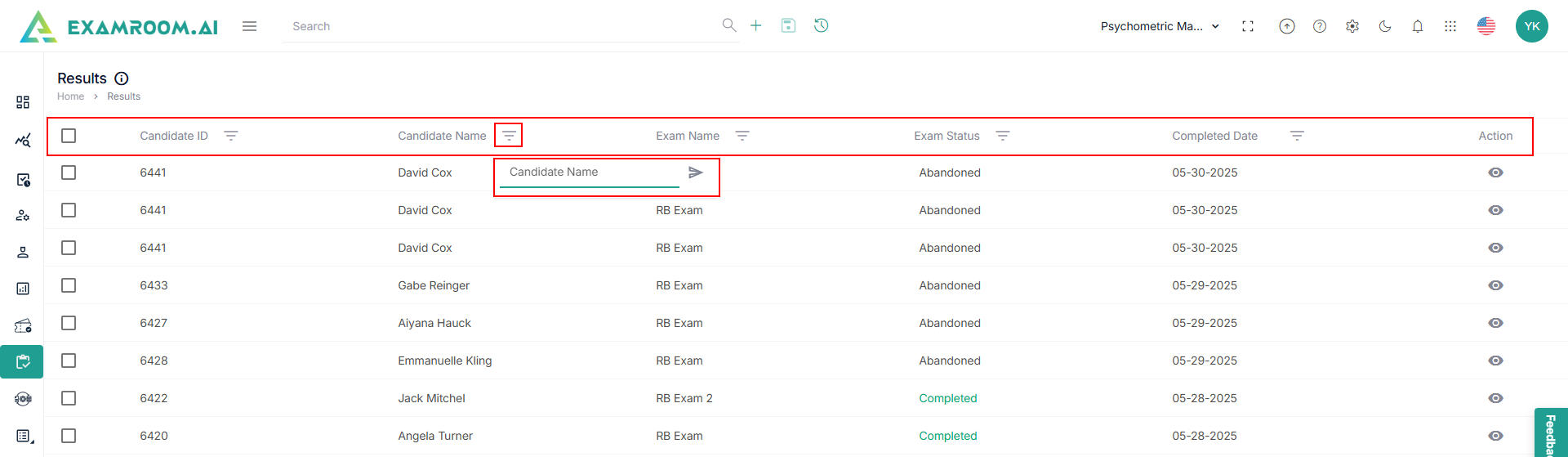
Results Table Overview
The Results section provides the candidates’ exam results with a detailed overview of their performance.
Results Table Overview
- Candidate ID: The ID assigned to the candidate.
- Candidate Name: The name of the candidate.
- Exam Name: The type or name of the exam.
- Exam Status: The status of exam completion with the following dropdown options.
- Scheduled
- In-Progress
- Abandoned
- Completed
- In-Scoring
- Scored
- Cancelled
- On-Hold
- Assigned
- Timeout
- Completed Date: The date and time the exam was completed.
- Action: To view the complete result details.
Note: Use the