Two-Factor Authentication (2FA)
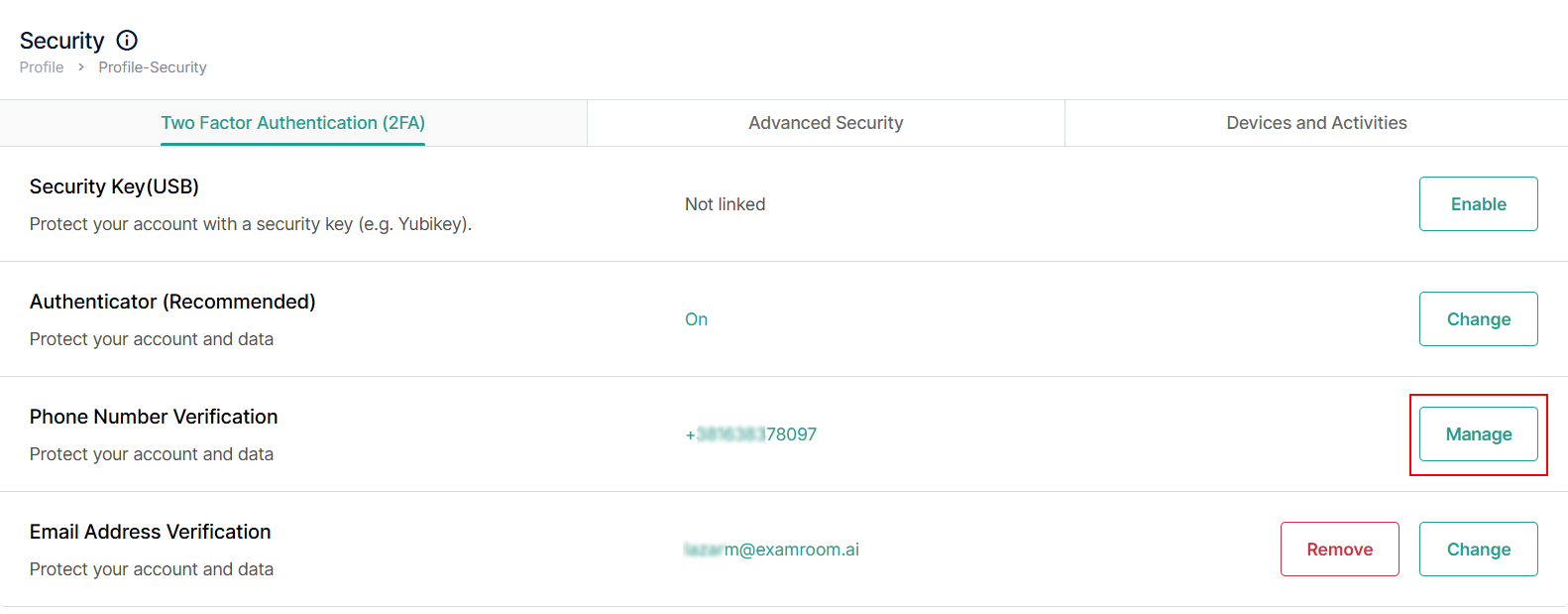
In the security section, you can set up and manage all your login and Multifactored Authentication (MFA) security settings. Additionally, you can modify your profile security, including Two-Factor Authentication (2FA) options, advanced security settings, account activity monitoring, and device management.
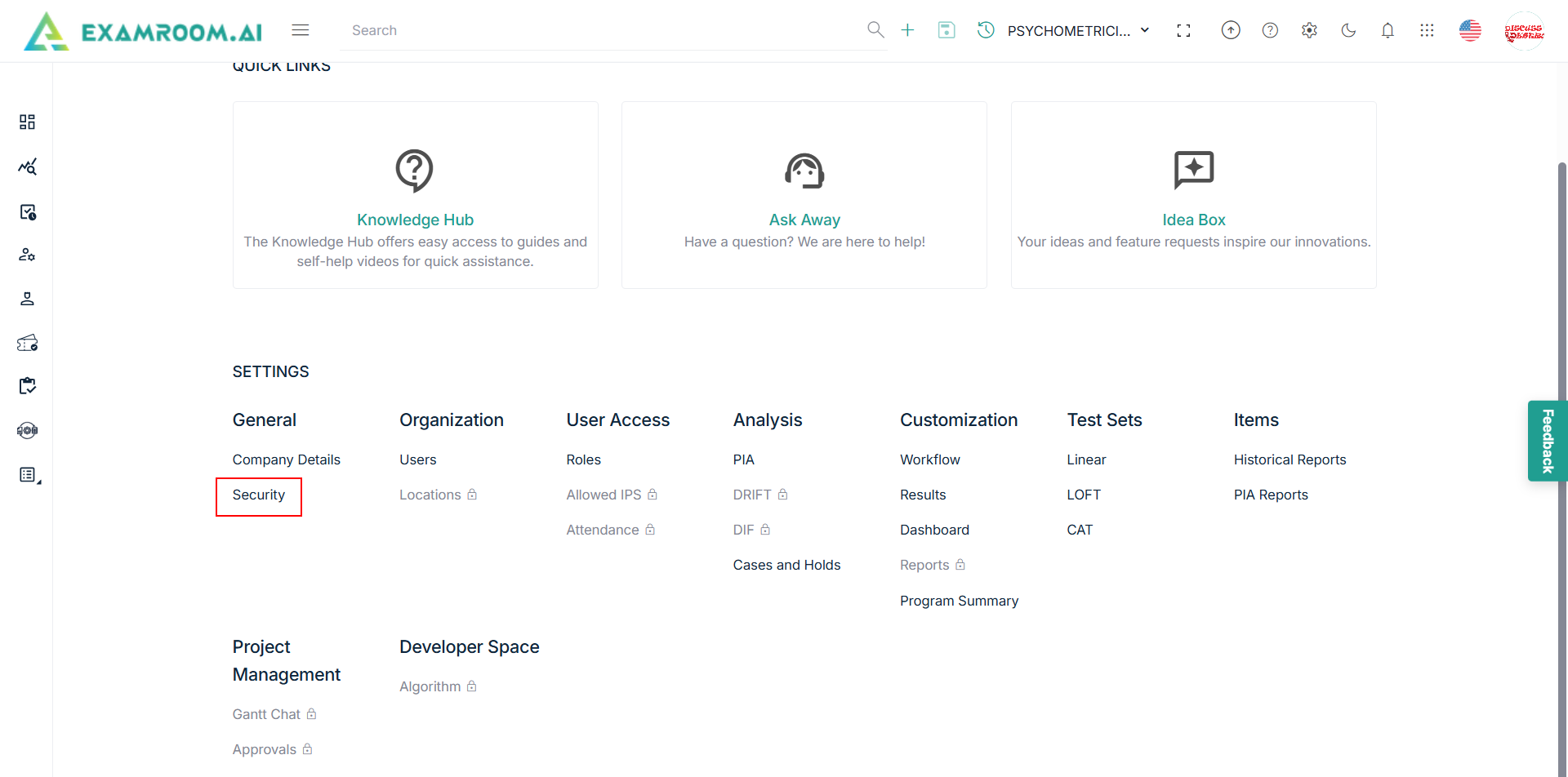
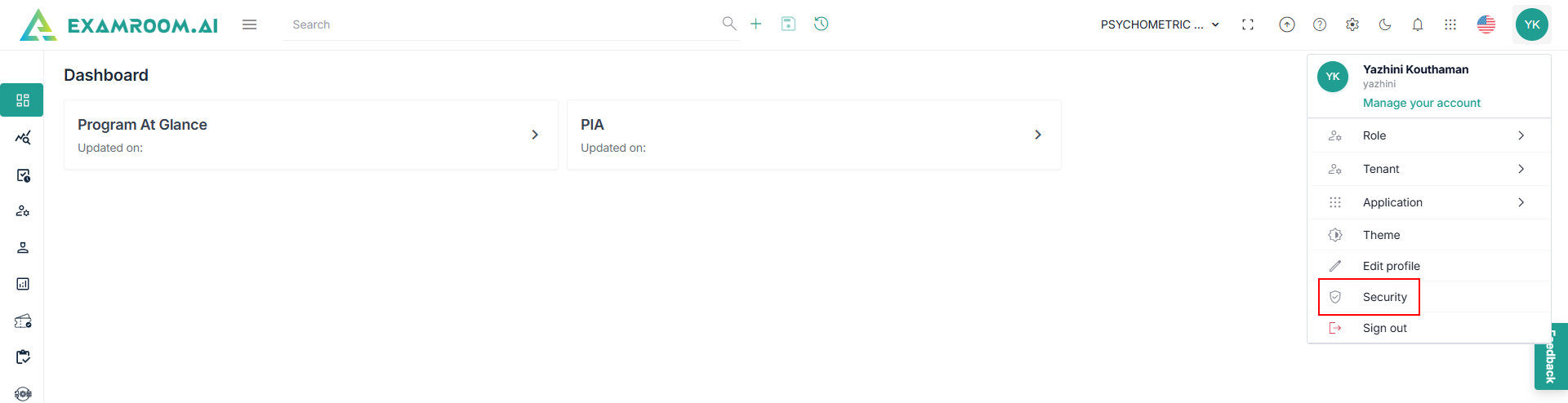
To navigate and manage profile security, follow the steps below:
- Click the Click the
Settings or Manage Profile icon from the toolbar at the top of the screen. Settings or Manage Profile icon from the toolbar at the top of the screen.
- Click Security.
Phone Number Verification
When using a phone number for verification, a code is sent via text to your mobile device. To enable or disable the phone number verification for your account, follow the steps below:
- From the Security page, click Manage in the Phone Number Verification section.
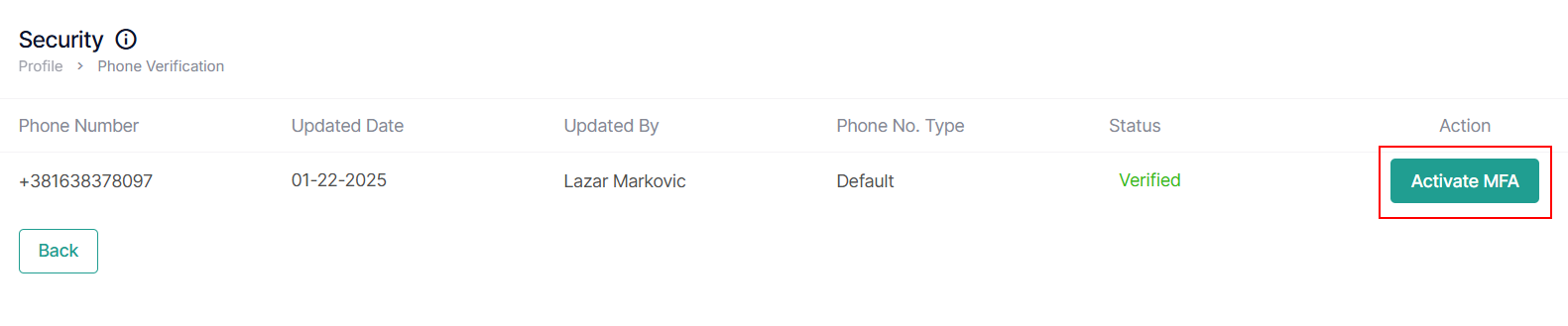
- To activate, click Activate MFA under the Action column to Activate MFA.
- To deactivate phone number verification, click Deactivate MFA under the Action column.