Adding a New User
To add a new user, follow the steps below:
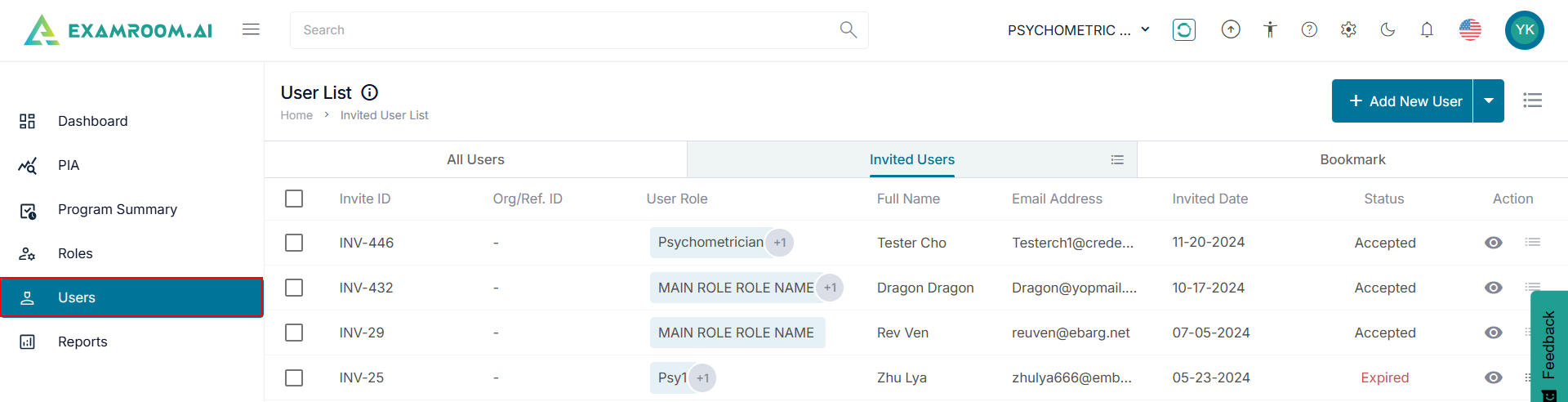
- Click Users on the left side menu.
- Click +Add New User to add a new user.
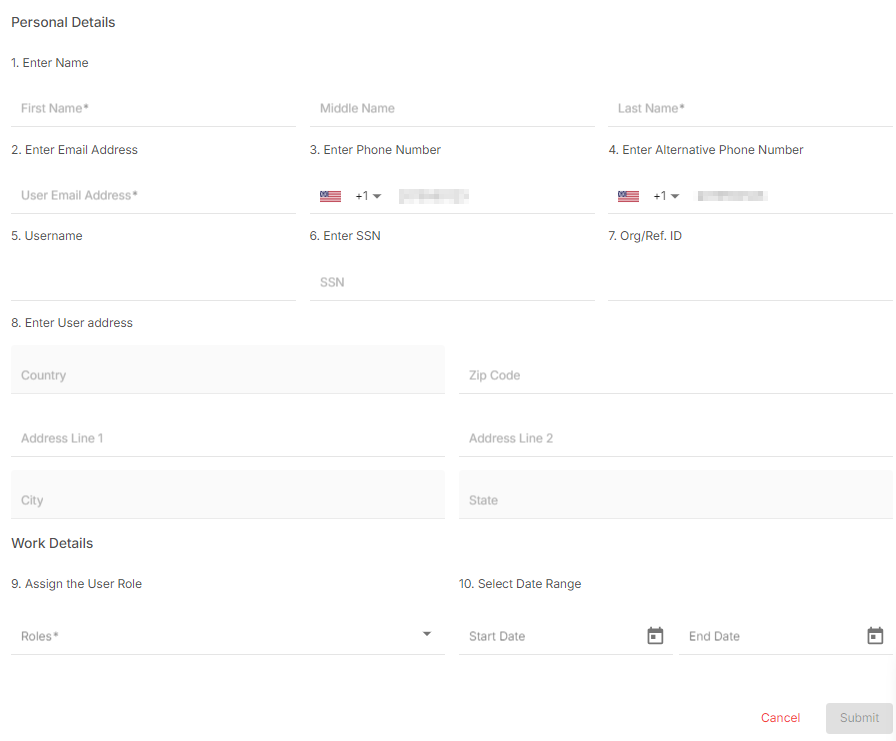
- Provide the Personal Details of the new user including Name, Email, Phone Number, Username, SSN, Org/Ref. ID, Address.
- Provide the Work Details by selecting the User Role from the dropdown list and the Start and End Date.
- Click Submit to update and save the new user. Otherwise, click Cancel to exit without saving.