Historical Reports
The Historical Reports page displays the history of submitted PIA reports.
To view the report's history, follow the steps below:
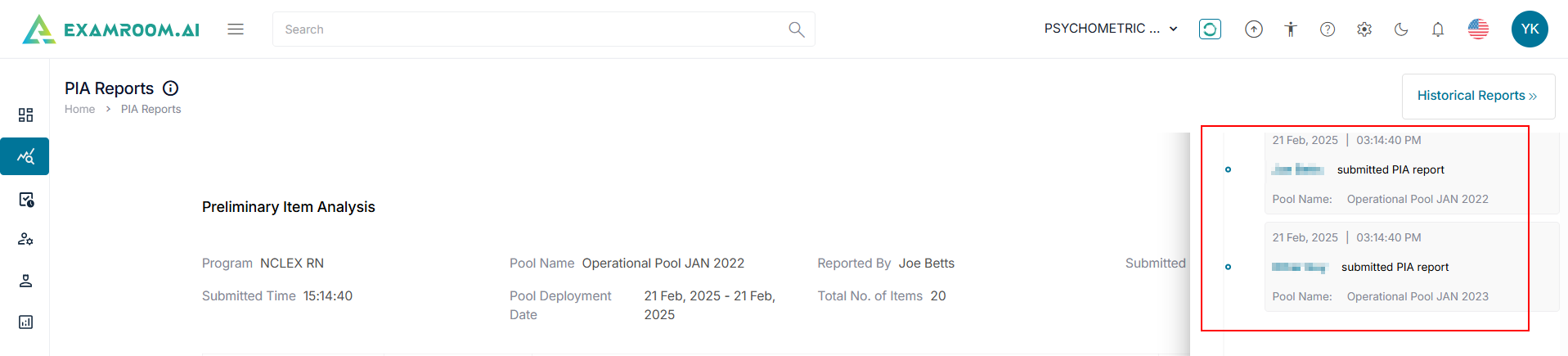
- Click Historical Report at the top right of the PIA window.
- The Historical Report window displays the list of the submitted reports including the Date, Time, submitted by, and Pool Name.
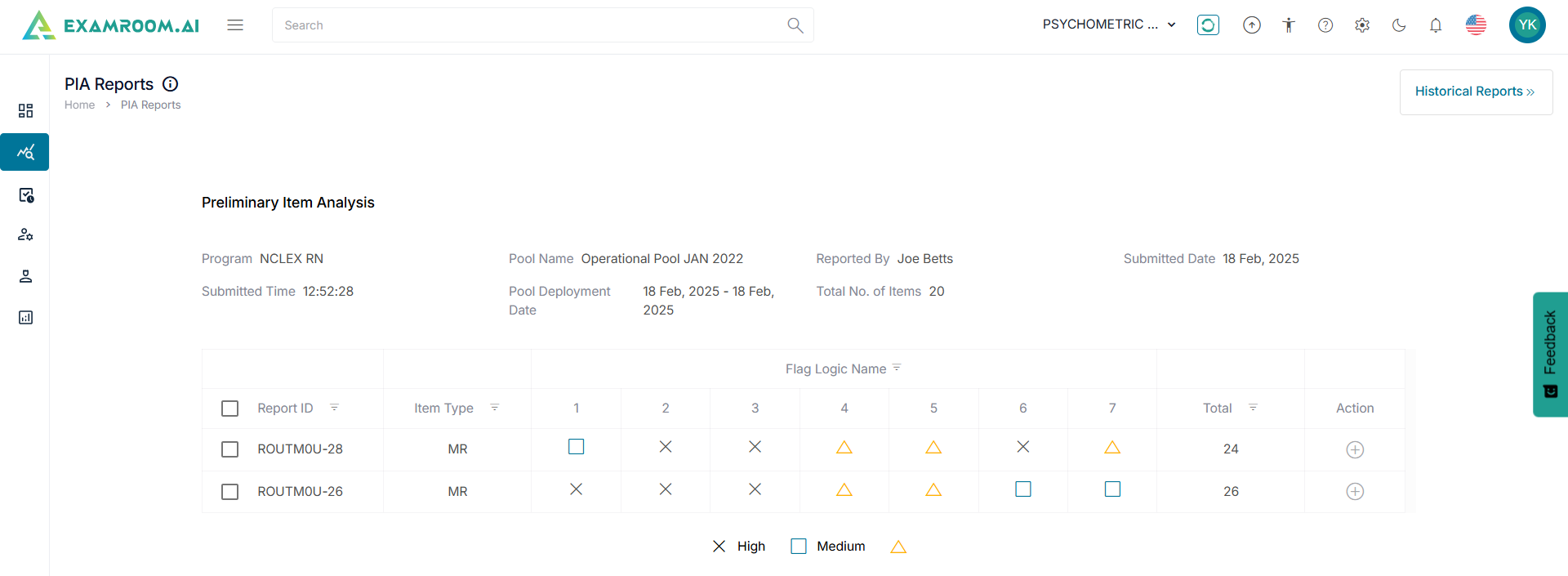
- Select the historical report from the list to view the PIA.
- The Preliminary Item Analysis section displays the item reports including Program, Pool Name, Reported By, Submitted Date, Submitted Time, Pool Deployment Date, and Total No. of Items.
Note: In the Action column, clickComments to view and add comments. Click
View Logic to view the logic of the item.