SQL History
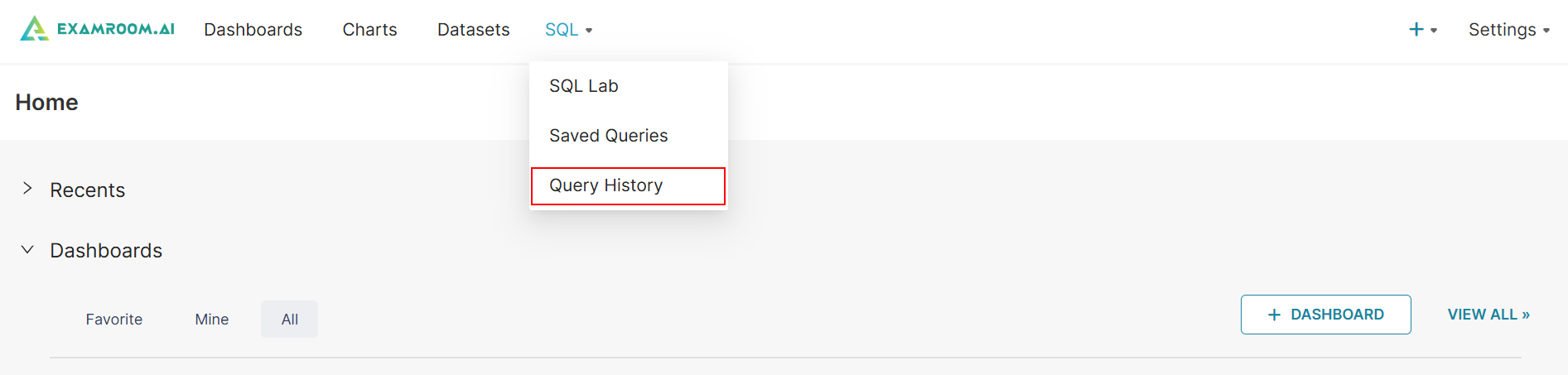
- Click SQL in the toolbar and select Query History from the dropdown list.
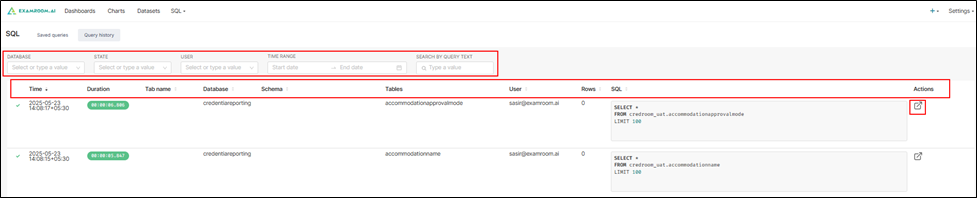
- Search or filter the list by selecting the State, Database, User, and Time Range or by entering the Query Text.
- Search and filter data by the following columns:
- Time: Timestamp of when the query was executed, including date and time with timezone information.
- Duration: Displays how long the query took to execute in hours, minutes, seconds, and milliseconds.
- Tab Name: The name assigned to the SQL editor tab in which the query was run (if available).
- Database: The specific database that was queried.
- Schema: The schema under the selected database where the query was executed.
- Tables: Lists the tables that were involved in the query.
- User: Email ID or name of the user who executed the query.
- Rows: Number of rows returned or affected by the query.
- SQL: A preview of the SQL command executed. It includes basic operations like SELECT, FROM, and limits if any.
- Under the Action column, you can click the
icon to redirect the query in a new tab for re-execution or inspection. For more information refer to Section 3.1 SQL Lab